Creating High-k Metal Gate Stack: Si/SiO2/HfO2/TiN.
Introduction.
This tutorial demonstrates how to create a high-k metal gate stack heterostructure consisting of four materials: Si (substrate), SiO2 (gate oxide), HfO2 (high-k dielectric), and TiN (metal gate). The process involves:
- Creating individual slabs for HfO2 and TiN
- Building the Si/SiO2 interface using strain matching
- Adding the pre-created slabs sequentially using simple interface builder
Reference
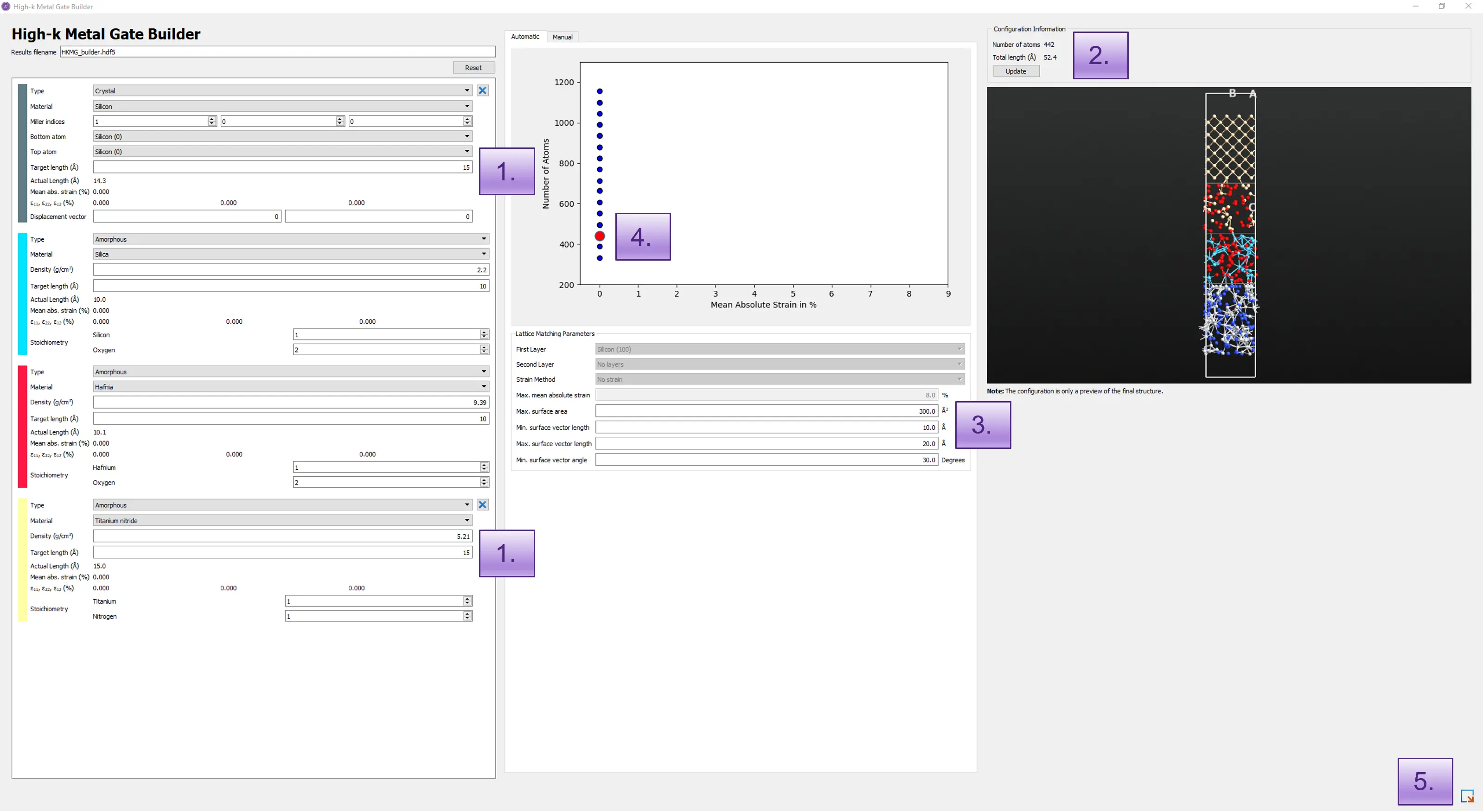
QuantumATK tutorial: High-k Metal Gate Stack Builder 12
We use the Materials Designer to create the high-k metal gate stack as shown in the figure below.
1. Set Up Materials.
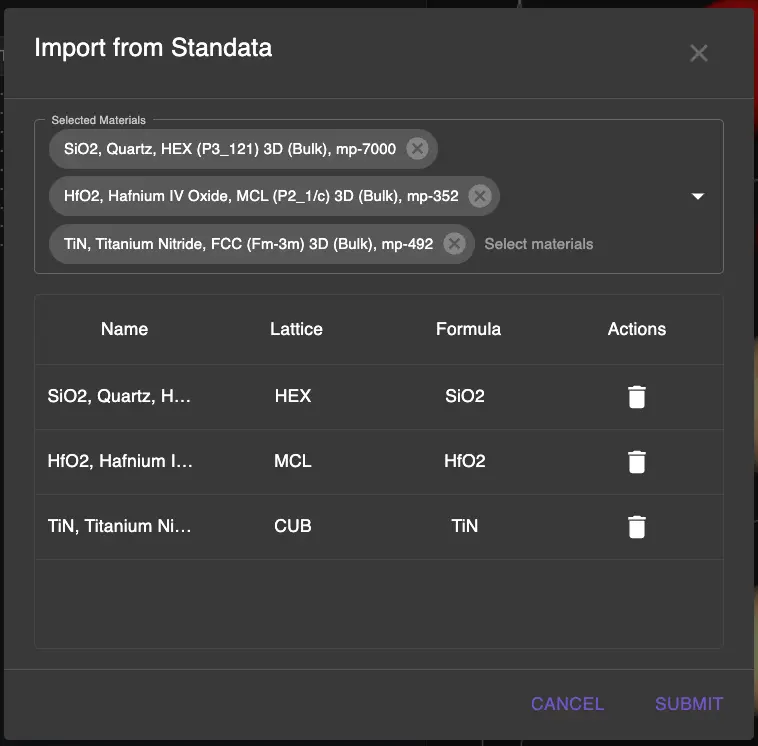
First, navigate to Materials Designer and import from Standata the following materials:
- Silicon (Si)
- Silicon dioxide (SiO2)
- Hafnium dioxide (HfO2)
- Titanium nitride (TiN)
2. Create HfO2 and TiN Slabs.
Before building the stack, we need to create properly terminated slabs for HfO2 and TiN.
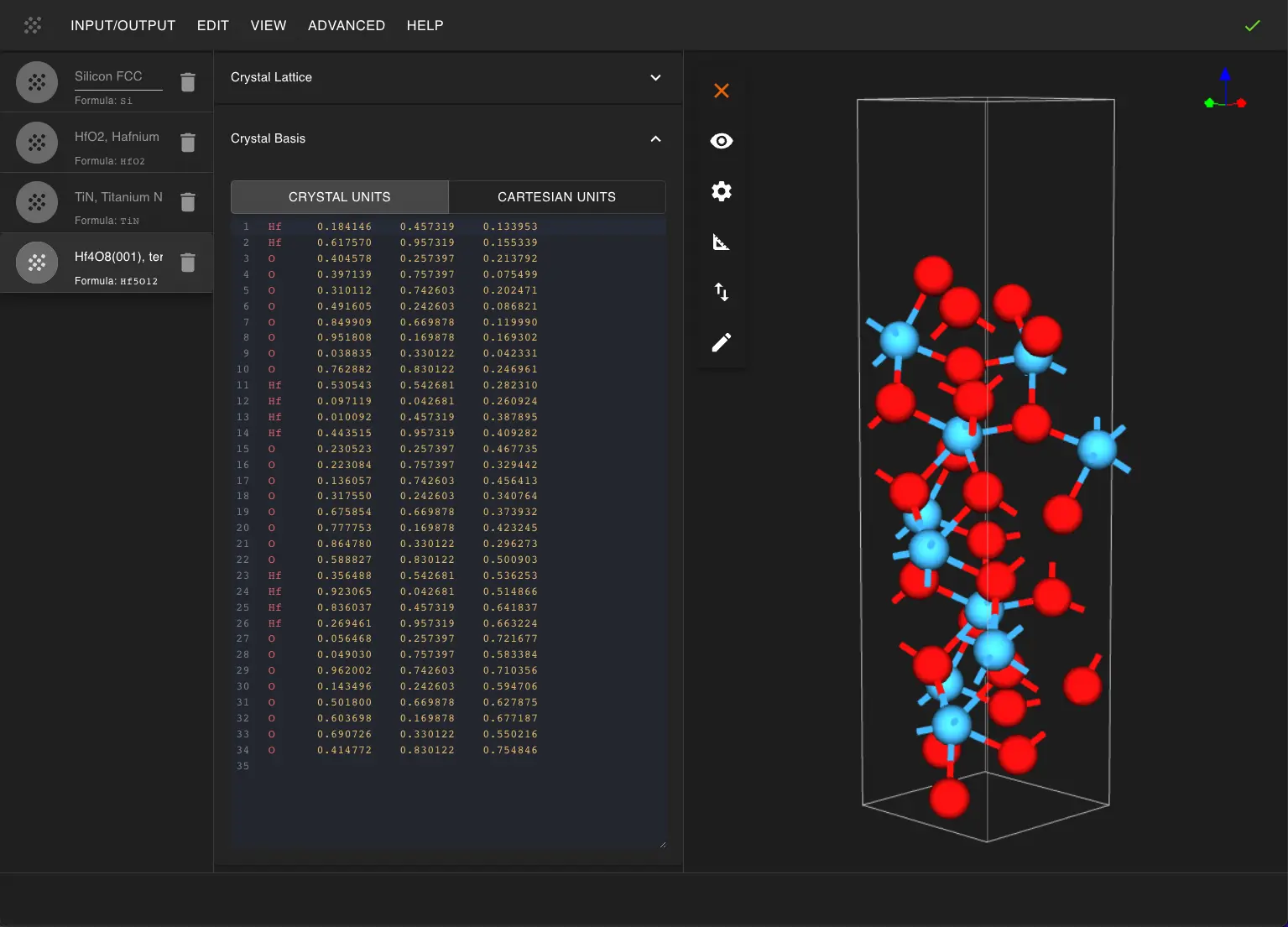
2.1. Create HfO2 Slab.
More detailed instructions on slab creation can be found in the SrTiO3 Slab tutorial.
Open create_slab_with_termination.ipynb and set parameters:
```python
HfO2 slab parameters
MILLER_INDICES = (0, 0, 1) THICKNESS = 4 # atomic layers VACUUM = 0.5 # Angstroms XY_SUPERCELL_MATRIX = [[1, 0], [0, 2]] USE_ORTHOGONAL_Z = True USE_CONVENTIONAL_CELL = True
Select termination (usually first one is fine)
TERMINATION_INDEX = 0 ```
Run the notebook to create the HfO2 slab and pass it to Materials Designer.
2.2. Create TiN Slab.
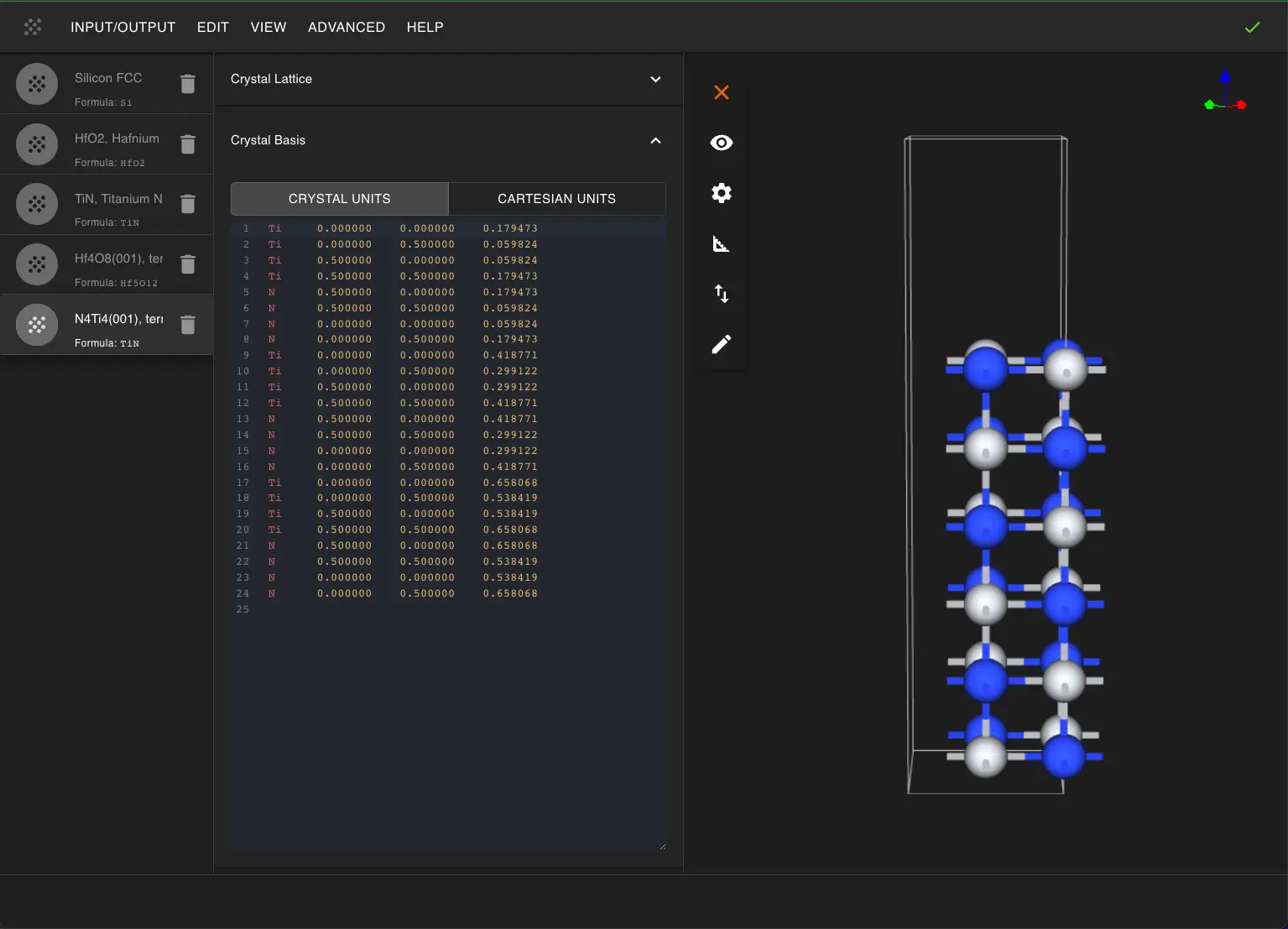
Open another instance of create_slab_with_termination.ipynb for TiN:
```python
TiN slab parameters
MILLER_INDICES = (0, 0, 1) THICKNESS = 3 # atomic layers VACUUM = 10.0 # Angstroms - more vacuum for final layer XY_SUPERCELL_MATRIX = [[1, 0], [0, 1]] USE_ORTHOGONAL_Z = True USE_CONVENTIONAL_CELL = True
TERMINATION_INDEX = 0 ```
Run the notebook to create and pass the TiN slab to Materials Designer.
3. Create Si/SiO2 Interface.
3.1. Launch ZSL Interface Builder.
Open create_interface_with_min_strain_zsl.ipynb and configure:
```python FILM_INDEX = 1 # SiO2 FILM_MILLER_INDICES = (1, 0, 0) FILM_THICKNESS = 3 FILM_TERMINATION_FORMULA = None # if None, the first termination will be used FILM_VACUUM = 0.0 FILM_XY_SUPERCELL_MATRIX = [[1, 0], [0, 1]] FILM_USE_ORTHOGONAL_C = True # Changed from FILM_USE_ORTHOGONAL_Z
SUBSTRATE_INDEX = 0 # Si SUBSTRATE_MILLER_INDICES = (1, 0, 0) SUBSTRATE_THICKNESS = 4 SUBSTRATE_TERMINATION_FORMULA = None # if None, the first termination will be used SUBSTRATE_VACUUM = 5.0 SUBSTRATE_XY_SUPERCELL_MATRIX = [[1, 0], [0, 1]] SUBSTRATE_USE_ORTHOGONAL_C = True # Changed from SUBSTRATE_USE_ORTHOGONAL_Z
INTERFACE_DISTANCE = 2.5 # Angstroms INTERFACE_VACUUM = 5.0 # Angstroms
Whether to convert materials to conventional cells before creating slabs.
To create interfaces with smaller cells, set this flag to False. (and pass already conventional cells as input)
USE_CONVENTIONAL_CELL = True
Maximum area for the superlattice search algorithm (the final interface area will be smaller)
MAX_AREA = 200 # in Angstrom^2
Additional fine-tuning parameters (increase values to get more strained matches):
MAX_AREA_TOLERANCE = 0.25 # in Angstrom^2 MAX_LENGTH_TOLERANCE = 0.15 MAX_ANGLE_TOLERANCE = 0.15
Whether to reduce the resulting interface cell to the primitive cell after the interface creation.
If the reduction causes unexpected results, try increasing the MAX_AREA for search.
REDUCE_RESULT_CELL_TO_PRIMITIVE = True ```
We set a higher tolerances to achieve smaller cell with higher strain of the film (SiO2).
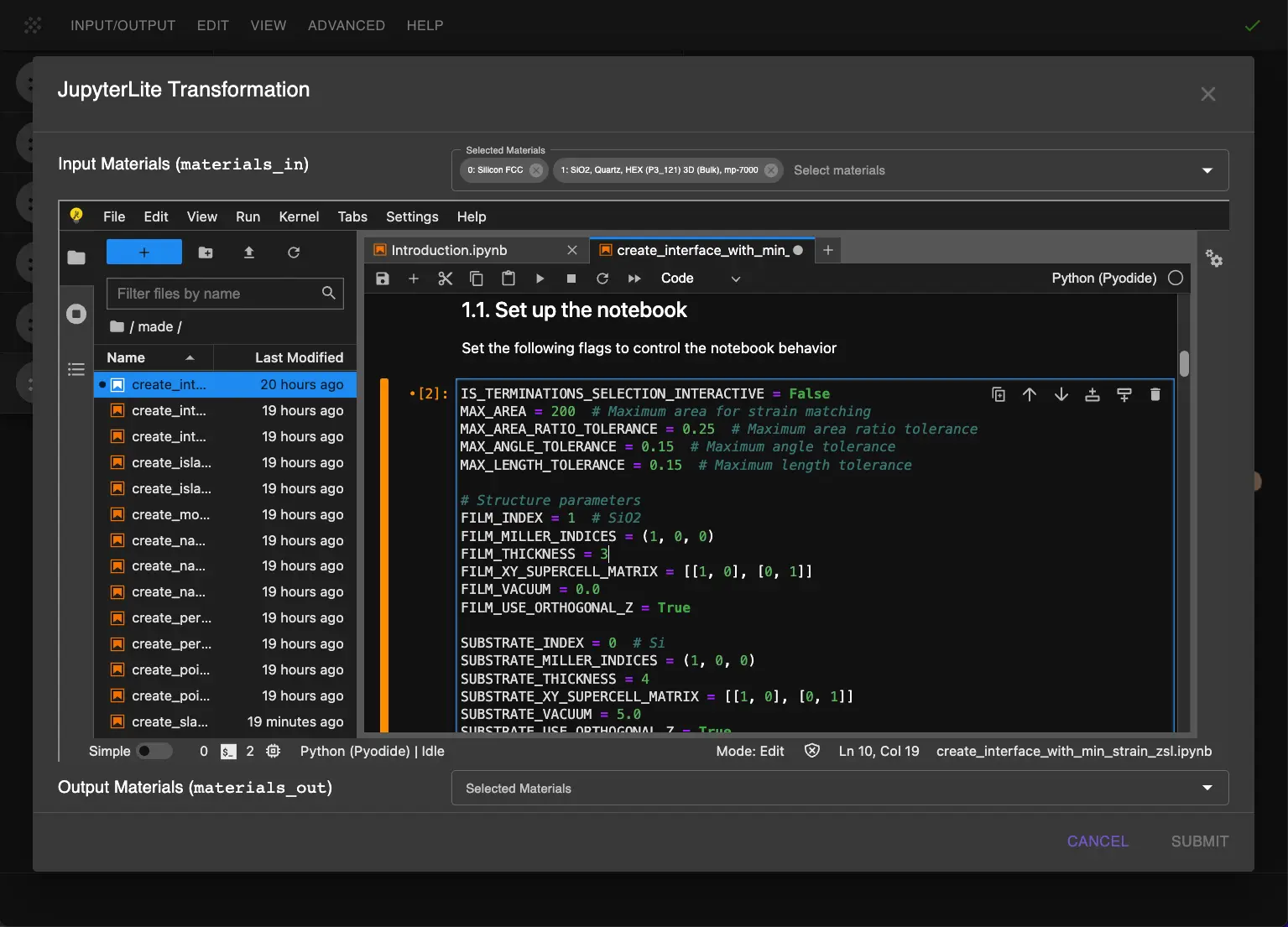
3.2. Create Initial Interface.
Run the notebook to create the Si/SiO2 interface. This is the most critical interface, so we use strain matching to optimize it.
4. Add HfO2 Layer.
4.1. Configure Simple Interface Builder.
Open JupyterLite Session again and select the Si/SiO2 interface and HfO2 slab as input materials.
Open create_interface_with_no_strain.ipynb and set:
```python
Important: Disable slab creation since we're using pre-created slab
ENABLE_FILM_SCALING = True CREATE_SLABS = False # We already have our HfO2 slab
FILM_INDEX = 1 # Pre-created HfO2 slab SUBSTRATE_INDEX = 0 # Si/SiO2 structure
Interface parameters
INTERFACE_DISTANCE = 2.5 # Angstroms INTERFACE_VACUUM = 0.5 # Angstroms ```
Film is the material that will be strained (scaled) to match the substrate.
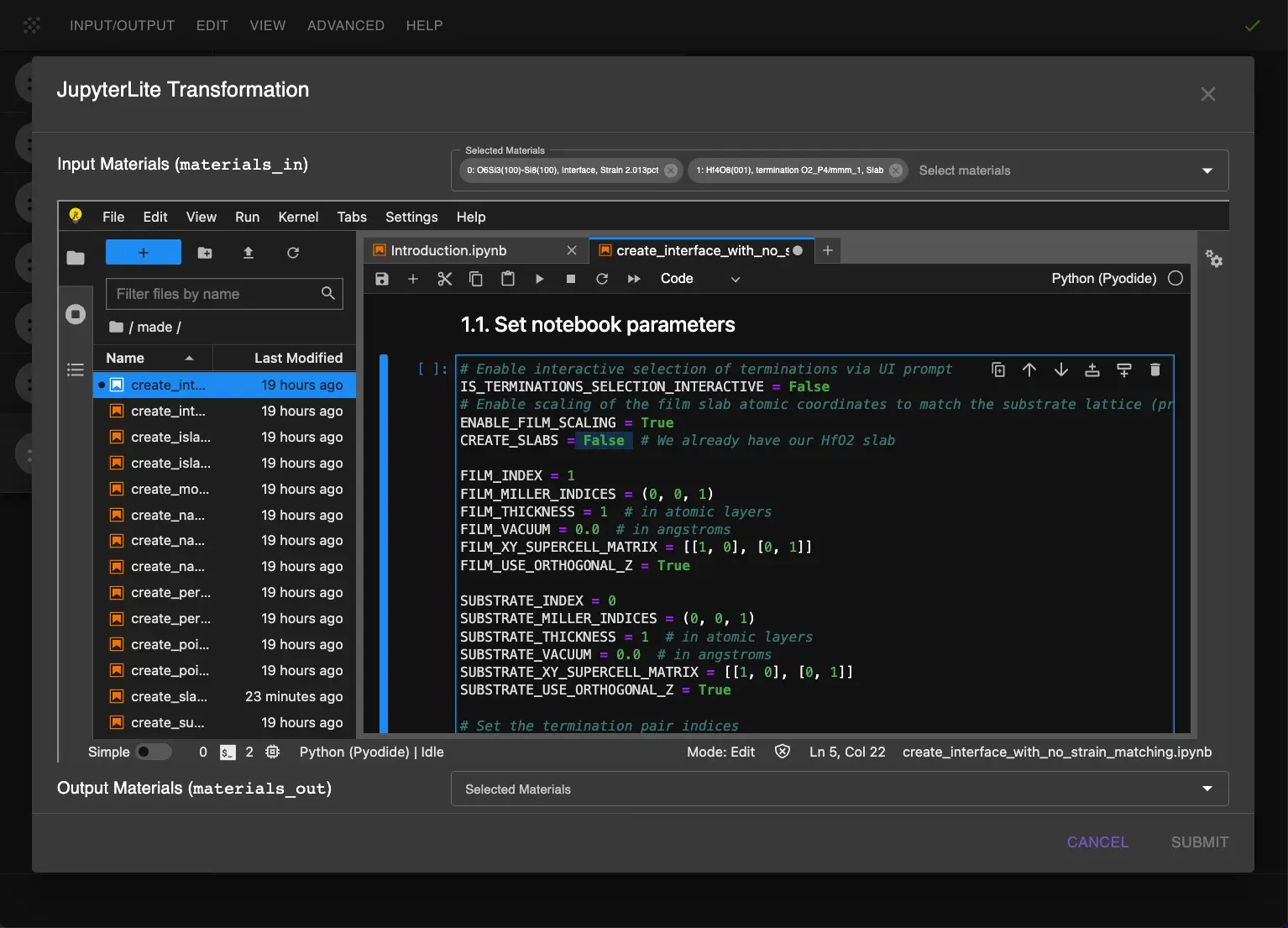
4.2. Add HfO2.
Run the notebook to add the pre-created HfO2 slab to the Si/SiO2 structure.
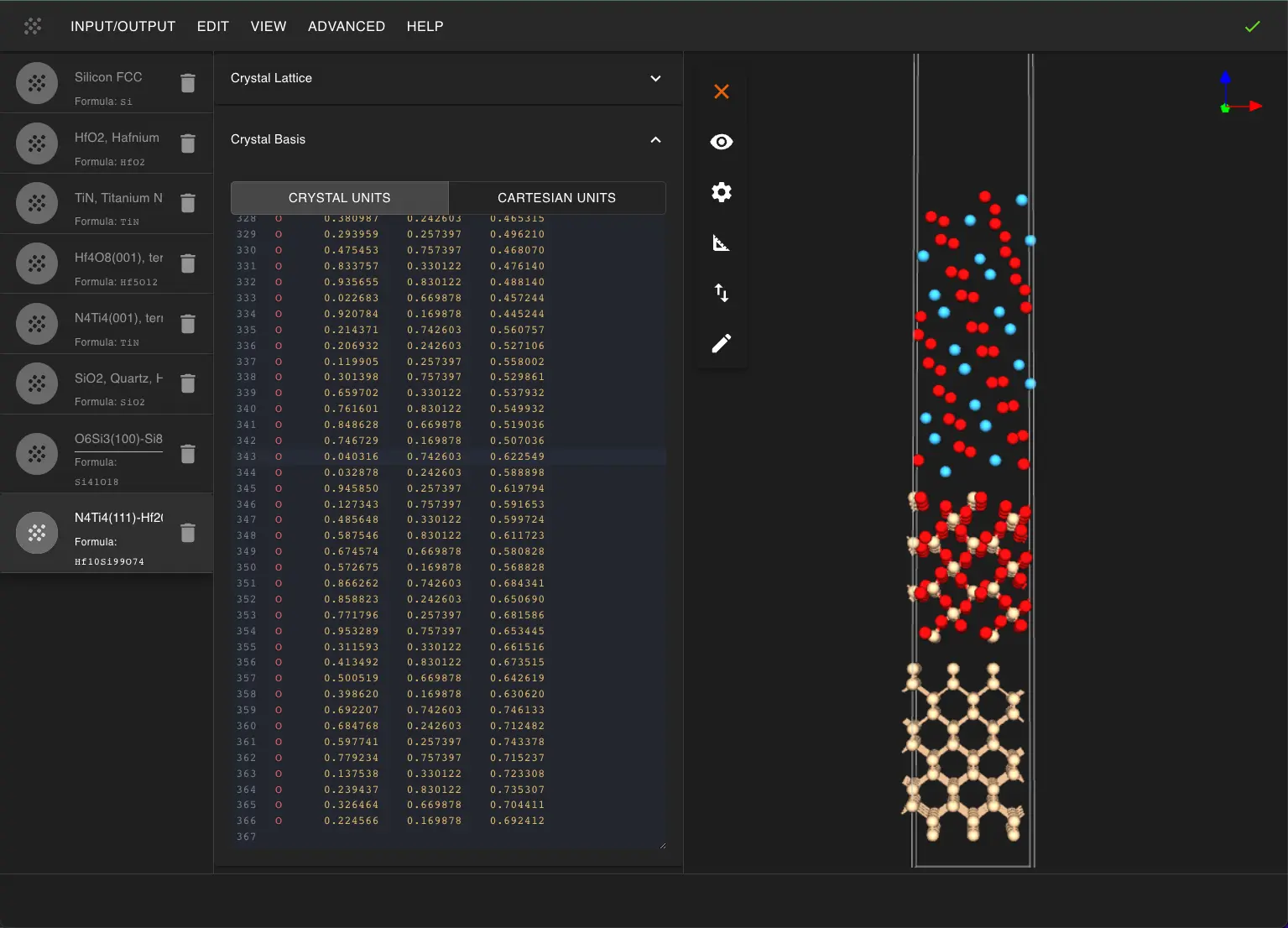
5. Add TiN Layer.
5.1. Configure Final Layer Addition.
Similar to steps in Section 4, we add the TiN layer to the Si/SiO2/HfO2 stack.
Use create_interface_with_no_strain.ipynb again:
```python
Keep slabs disabled
ENABLE_FILM_SCALING = True CREATE_SLABS = False # Using pre-created TiN slab
FILM_INDEX = 1 # Pre-created TiN slab SUBSTRATE_INDEX = 0 # Si/SiO2/HfO2 structure
Final interface parameters
INTERFACE_DISTANCE = 2.5 # Angstroms INTERFACE_VACUUM = 10.0 # Final vacuum spacing ```
5.2. Complete the Stack.
Run the notebook to add the TiN layer and complete the stack.
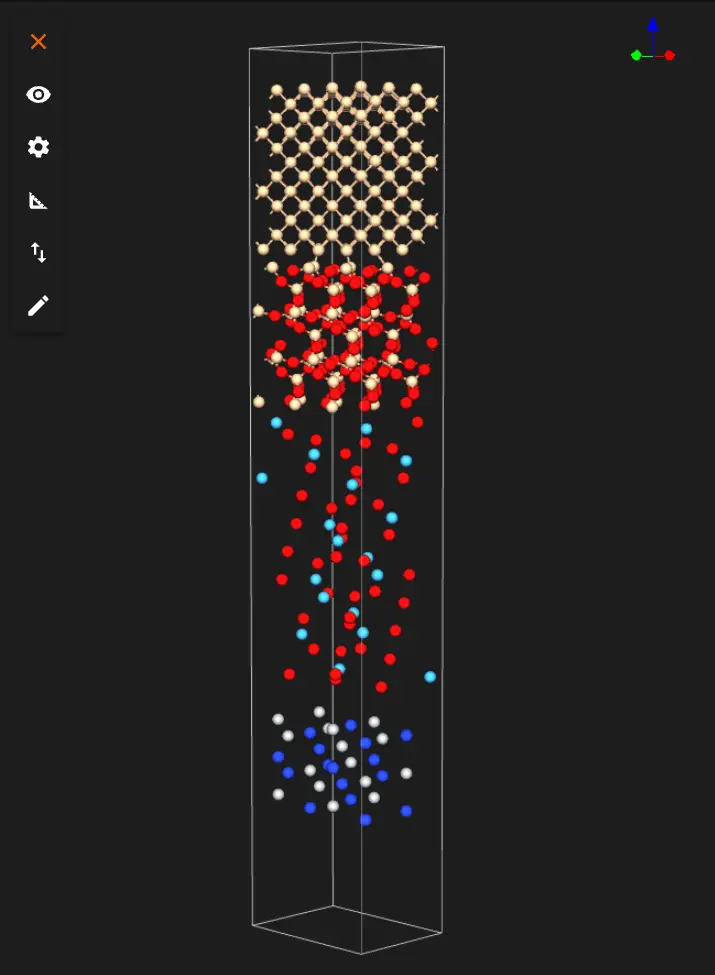
The user then can save or download the material in Material JSON format or POSCAR format.
Interactive JupyterLite Notebook.
The following JupyterLite notebook demonstrates the process of creating target material. Select "Run" > "Run All Cells".
References.
-
D A Muller, N Nakagawa, A Ohtomo, J L Grazul, and H Y Hwang. The electronic structure at the atomic scale of ultrathin gate oxides. Nature, 399:758–761, 1999. URL: https://doi.org/10.1038/21667. ↩
-
J Robertson. High dielectric constant gate oxides for metal oxide si transistors. Reports on Progress in Physics, 69:327, 2006. URL: https://doi.org/10.1088/0034-4885/69/2/R02. ↩