Twisted Bilayer Boron Nitride (TBBN) Structure Creation.
Introduction.
This tutorial demonstrates the process of creating a twisted bilayer boron nitride (TBBN) structure based on the work presented in the following manuscript.
Manuscript
Lede Xian, Dante M. Kennes, Nicolas Tancogne-Dejean, Massimo Altarelli, and Angel Rubio, "Multiflat Bands and Strong Correlations in Twisted Bilayer Boron Nitride: Doping-Induced Correlated Insulator and Superconductor" Phys. Rev. Lett. 125, 086402, 20 August 2020 DOI: 10.1021/acs.nanolett.9b00986 1
We use the Materials Designer to create Hexagonal boron nitride bilayer structure configurations with 2 specific twist angles.
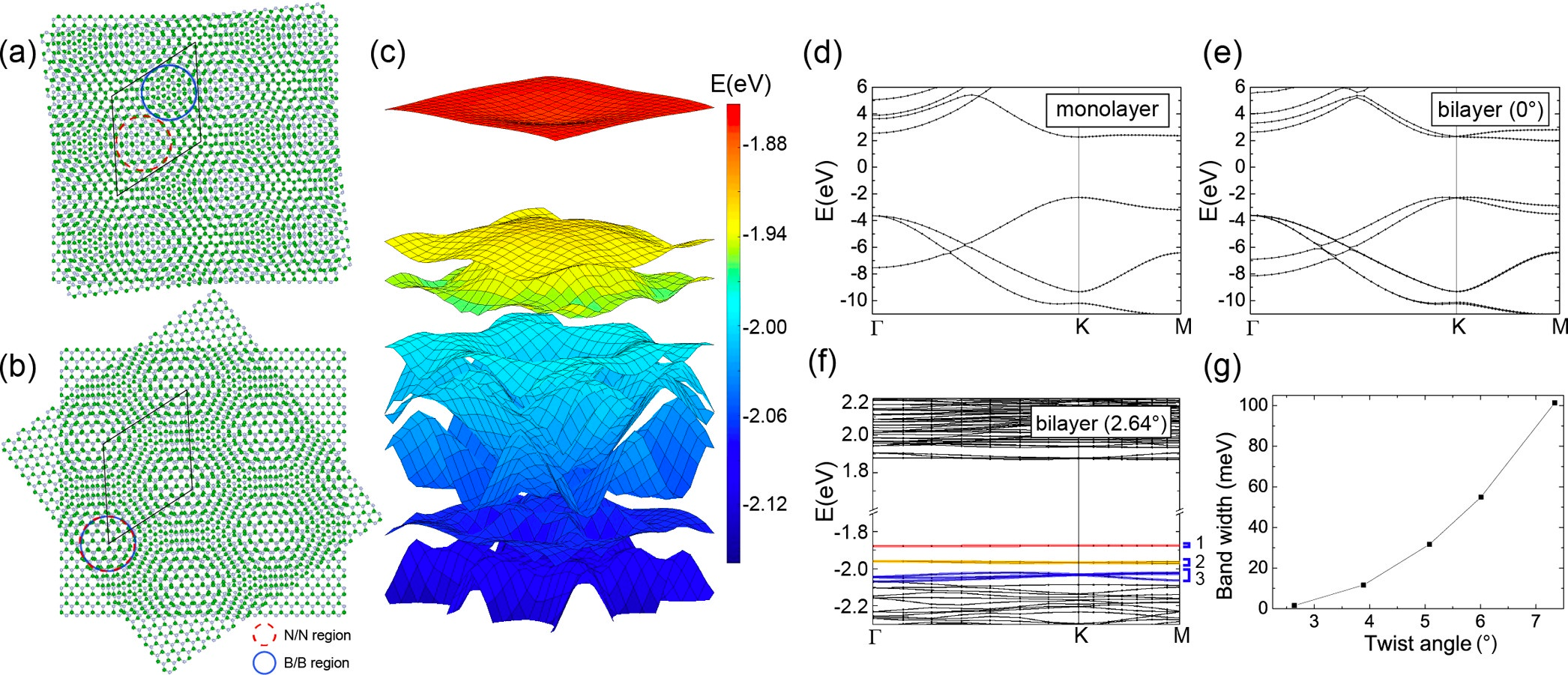
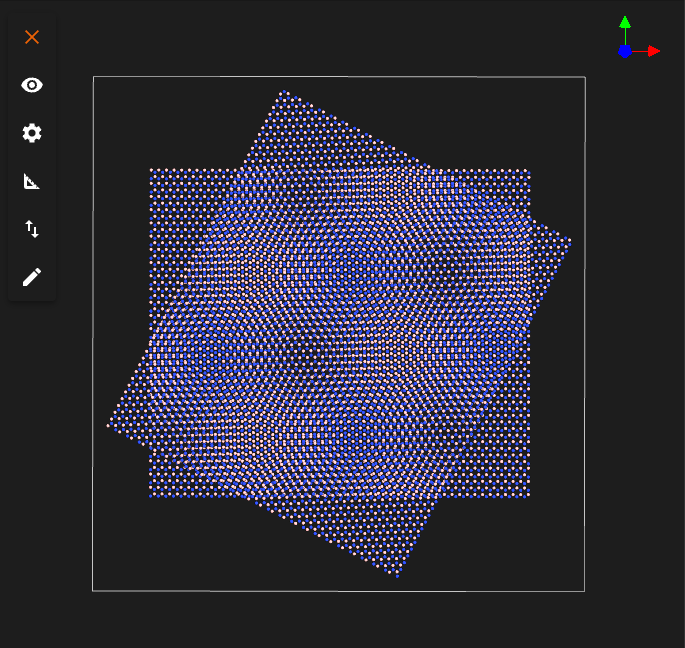
The image shows the twisted bilayer h-BN structure with a twist angle of 2.64° (a) and 62.64° (b).
1. Load and preview BN structure.
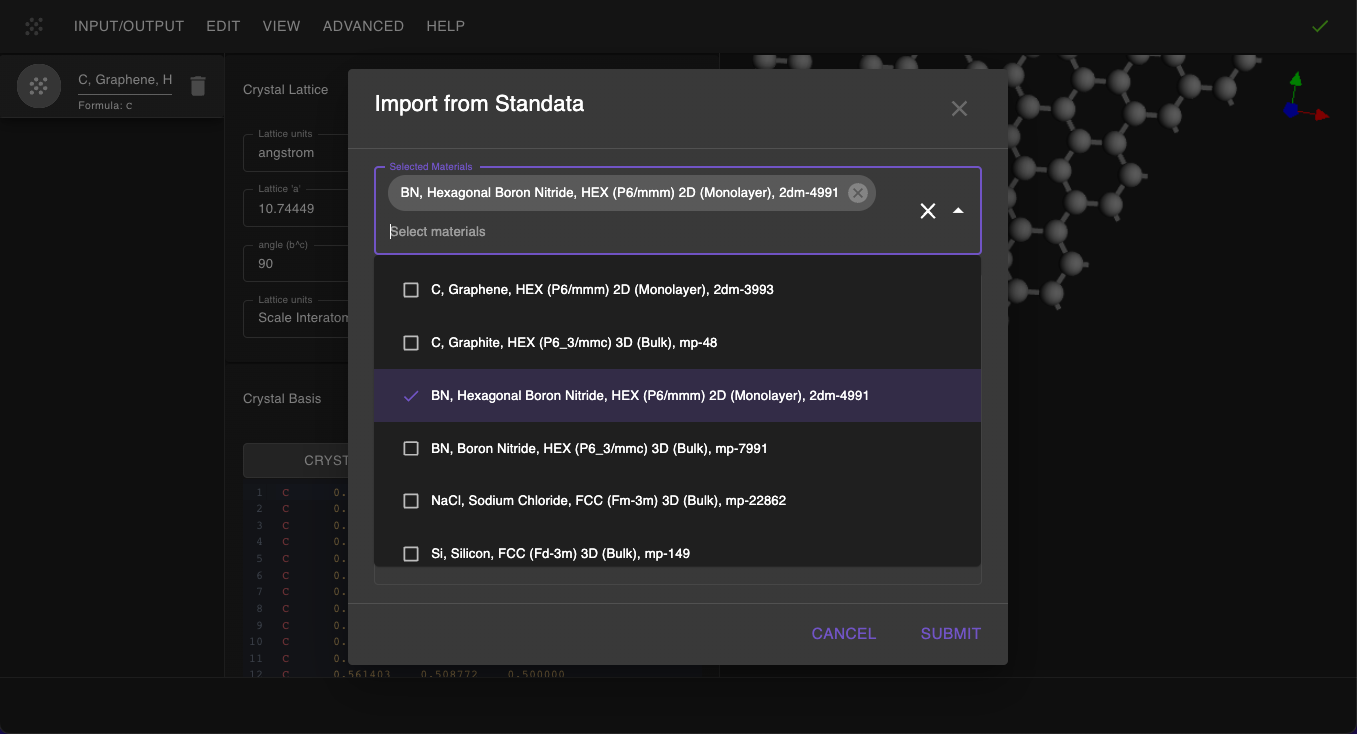
First, we navigate to Materials Designer and import the BN material from the Standata.
Then we will use the JupyterLite environment to create a twisted bilayer boron nitride structure.
2. Create bilayer with a twist angle of 2.64°.
2.1 Launch JupyterLite Session.
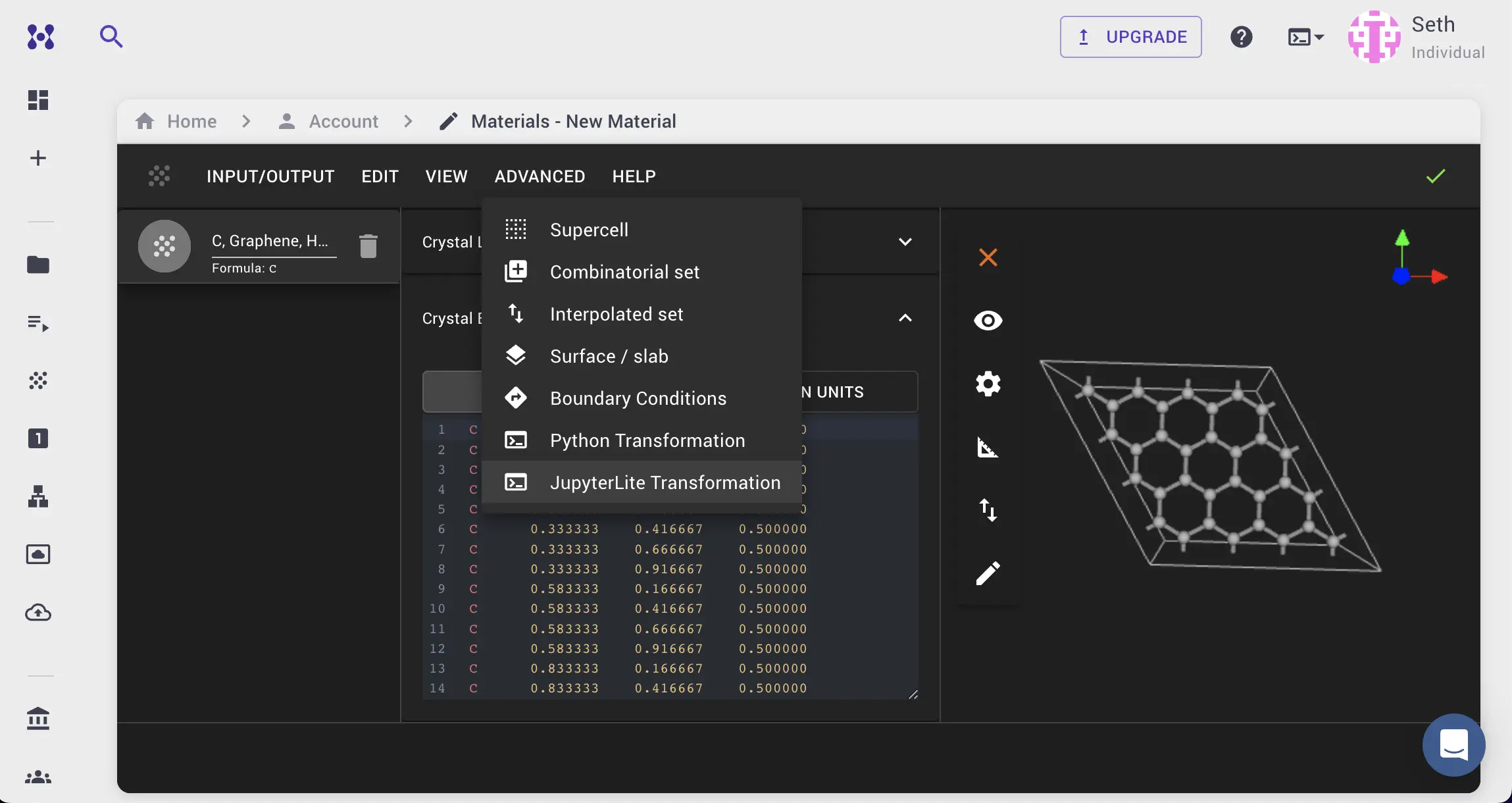
Select the "Advanced > JupyterLite Transformation" menu item to launch the JupyterLite environment.
2.2. Open and modify the notebook.
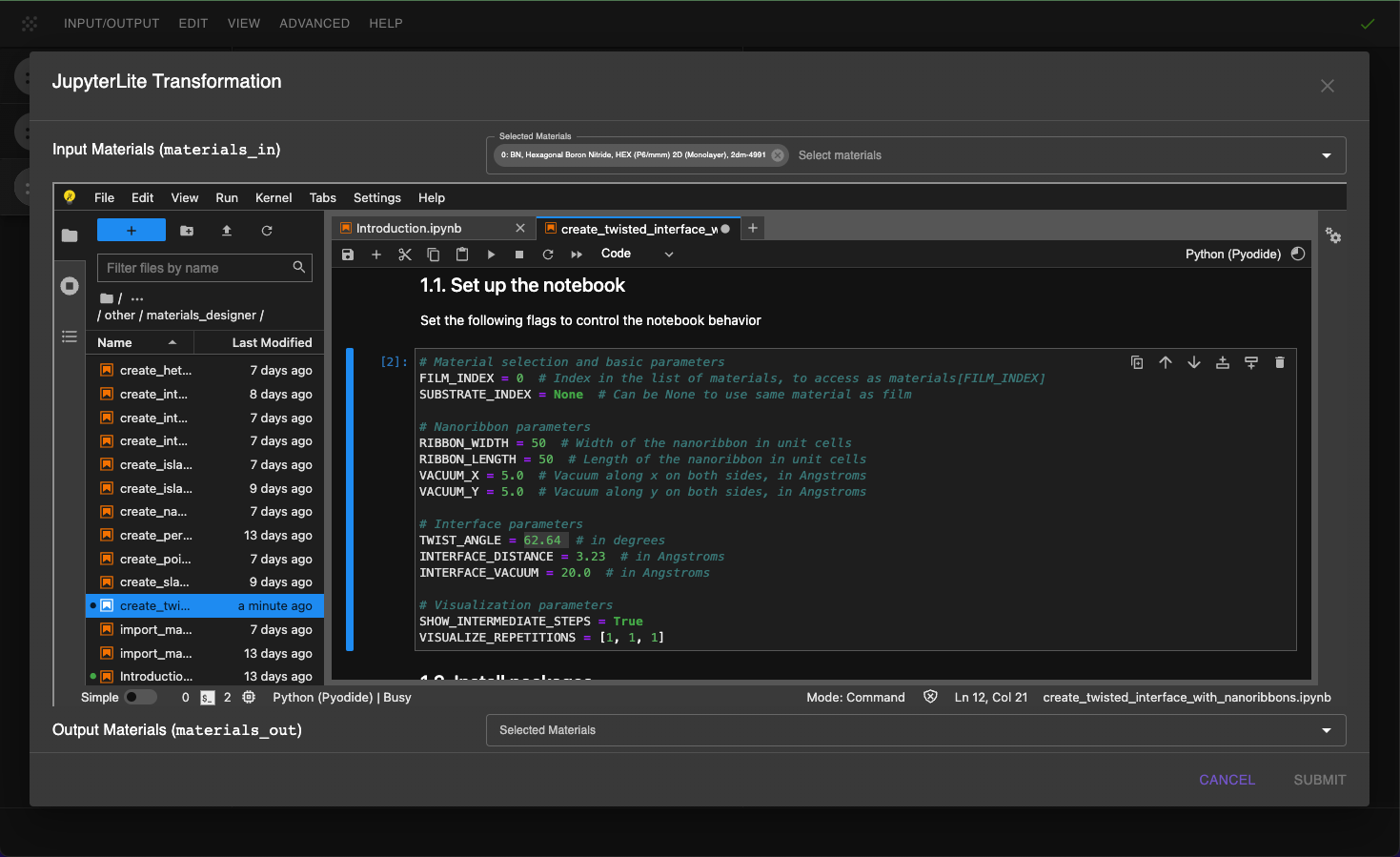
Next, edit create_twisted_interface_with_nanoribbons.ipynb notebook to modify the parameters by adding: RIBBON_WIDTH = 50 and RIBBON_LENGTH = 50, TWIST_ANGLE = 2.64.
Adjust the "1.1. Set up slab parameters" cell in the notebook according to:
```python
Material selection and basic parameters
FILM_INDEX = 0 # Index in the list of materials, to access as materials[FILM_INDEX] SUBSTRATE_INDEX = None # Can be None to use same material as film
Twisted interface parameters
TARGET_TWIST_ANGLE = 2.64 # in degrees INTERFACE_DISTANCE = 3.23 # in Angstroms INTERFACE_VACUUM = 20.0 # in Angstroms
Nanoribbon parameters
RIBBON_WIDTH = 50 # Width of the nanoribbon in unit cells RIBBON_LENGTH = 50 # Length of the nanoribbon in unit cells VACUUM_WIDTH = 15.0 # Vacuum width around ribbons in Angstroms VACUUM_LENGTH = 15.0 # Vacuum length around ribbons in Angstroms VACUUM_X = 2.0 # Additional vacuum along x on both sides, in Angstroms VACUUM_Y = 2.0 # Additional vacuum along y on both sides, in Angstroms
Visualization parameters
SHOW_INTERMEDIATE_STEPS = True VISUALIZE_REPETITIONS = [3, 3, 1] ```
2.3. Run the Notebook.
After setting the parameters, run the notebook with "Run" > "Run All" option to create the twisted bilayer boron nitride structure.
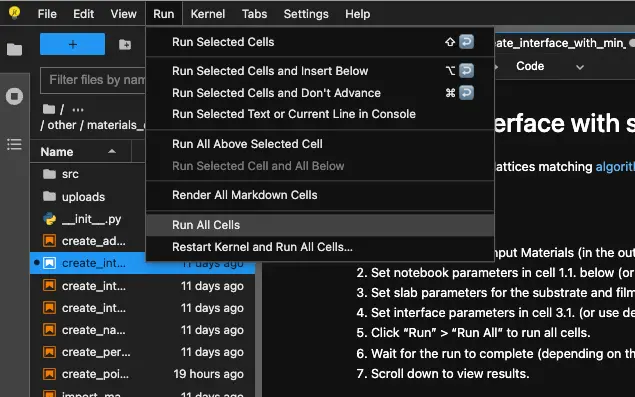
2.4. Analyze the Results.
After running the notebook, the user will be able to visualize the created twisted bilayer boron nitride structure.
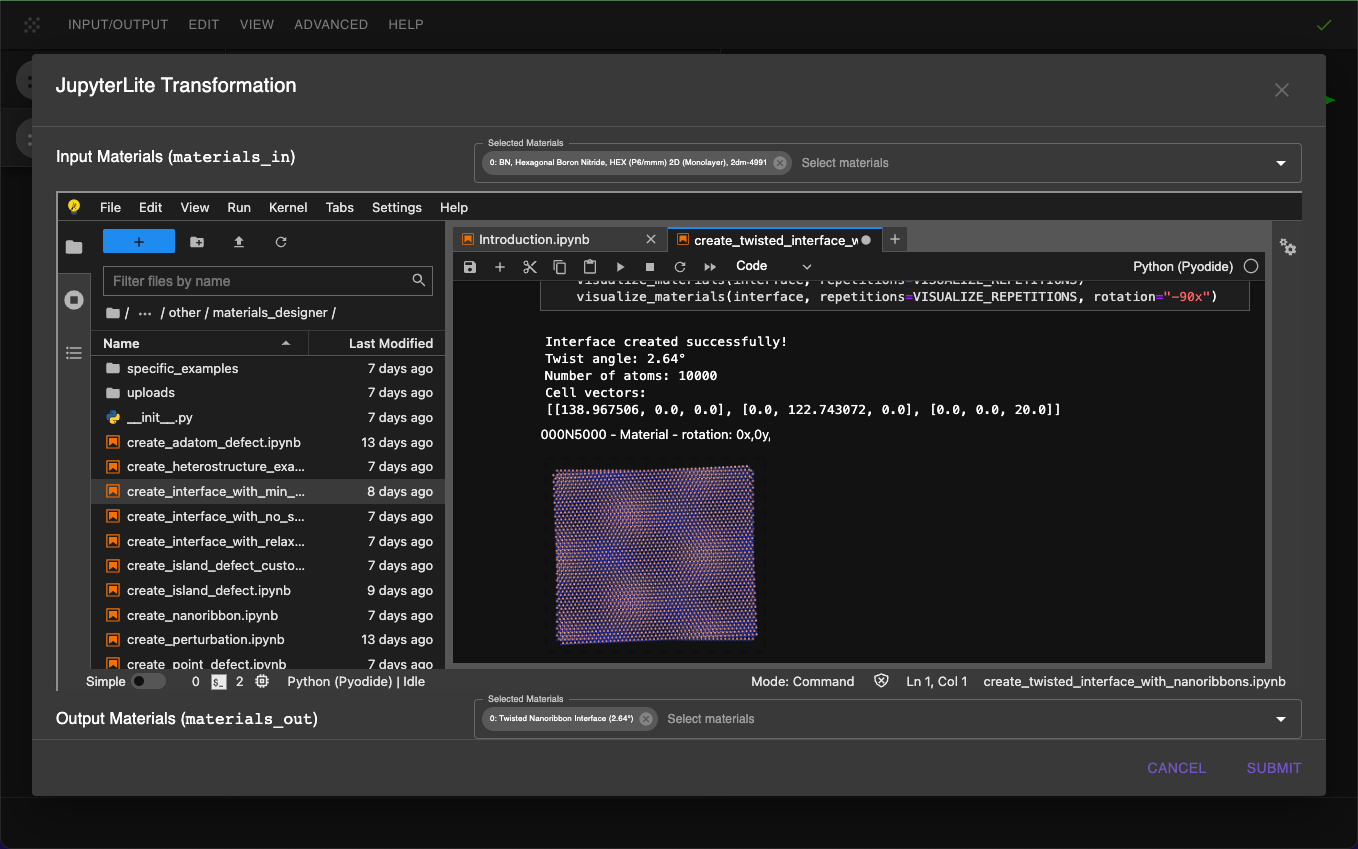
2.5. Pass Results to the Materials Designer.
After reviewing the results, the user can pass the material to the Materials Designer for further analysis.
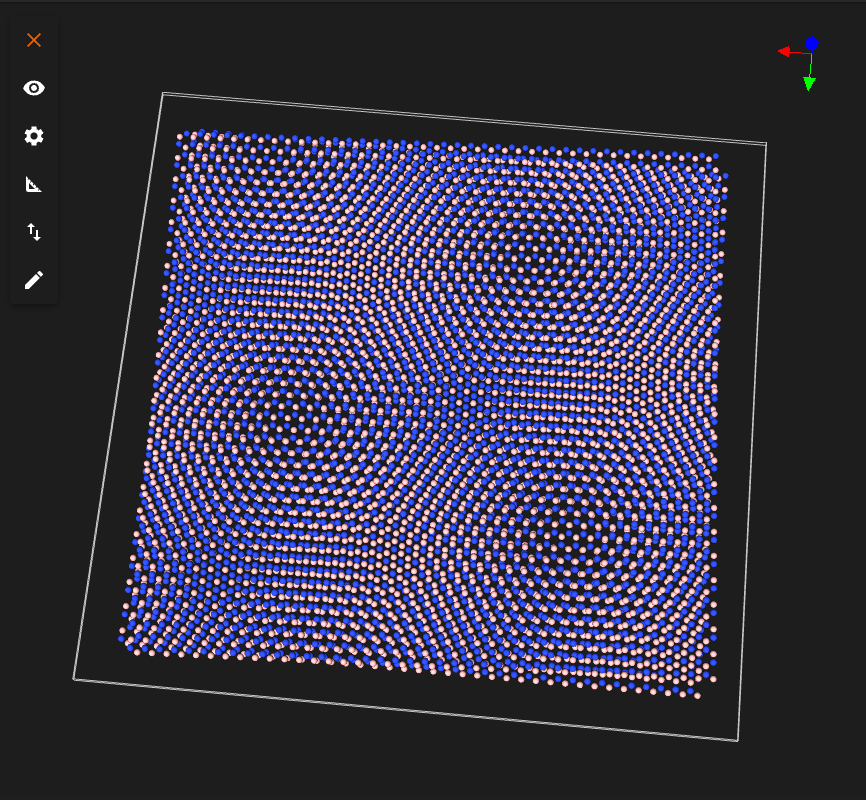
3. Create a TBBN structure with a twist angle of 62.64°.
3.1. Repeat the steps above.
To create a twisted bilayer boron nitride structure with a twist angle of 62.64°, repeat the above steps 2.1 -- 2.5 with the following modifications.
Set TWIST_ANGLE = 62.64 in the "1.1. Set up slab parameters" cell in the notebook.
3.2. View Results and pass to the Materials Designer.
After running the notebook, the user will be able to visualize the created twisted bilayer boron nitride structure with a twist angle of 62.64°.
After reviewing the results, the user can pass the material to the Materials Designer for further analysis.
Interactive JupyterLite Notebook.
The interactive JupyterLite notebook for creating the twisted bilayer boron nitride structure can be accessed below. Select "Run" > "Run All Cells" to create two materials.
References.
-
Lede Xian, Dante M. Kennes, Nicolas Tancogne-Dejean, Massimo Altarelli, and Angel Rubio. Multiflat bands and strong correlations in twisted bilayer boron nitride: doping-induced correlated insulator and superconductor. Phys. Rev. Lett., 125:086402, 2020. URL: https://doi.org/10.1021/acs.nanolett.9b00986. ↩